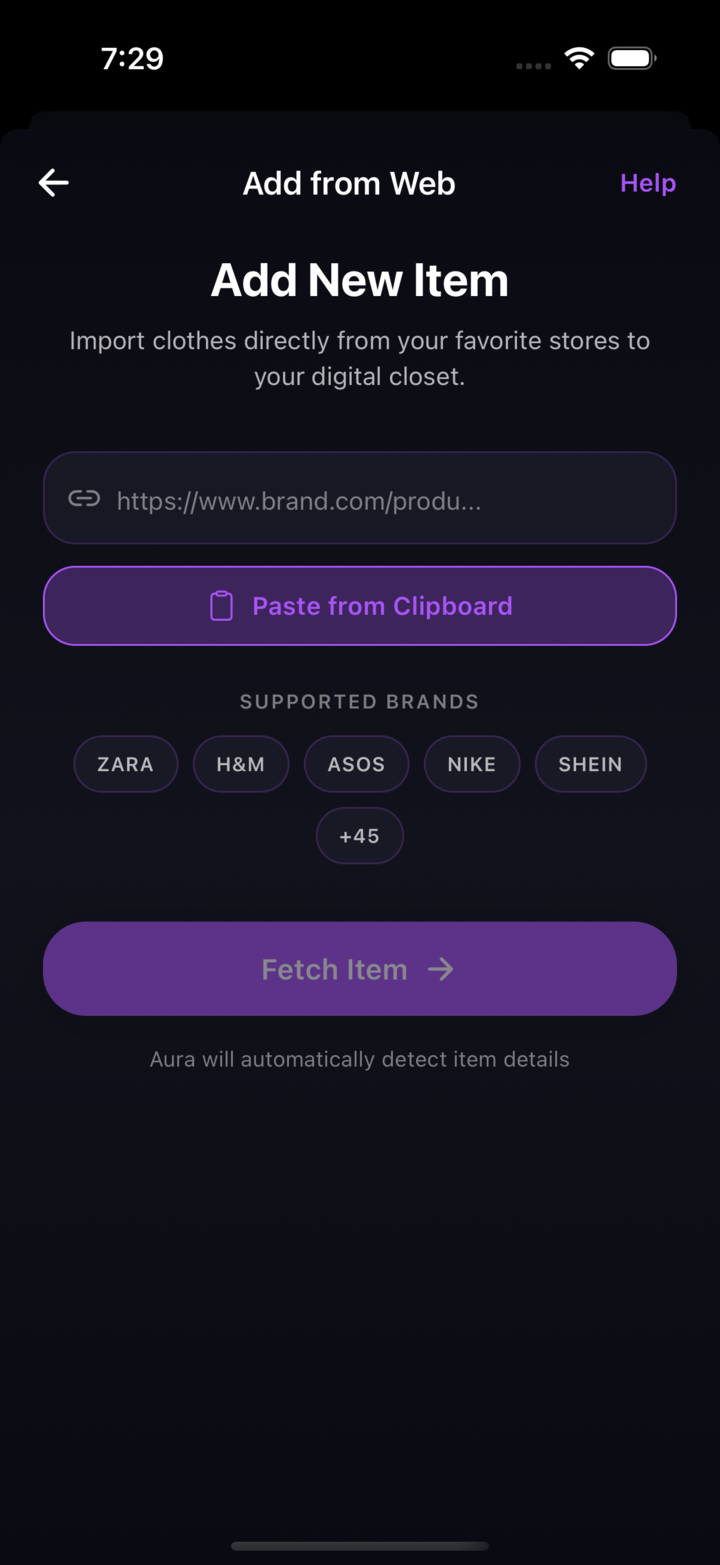
Link mode
Try a clothing product URL. Support varies by retailer and page; a successful import is not guaranteed.
A little preparation
A styling idea, a clothing item, and the photo instructions in your installed app. Start there.
A generated preview is a styling aid. It cannot guarantee fit, fabric detail or appearance.
Follow the app’s setup instructions for reference photos. Image quality can affect the generated preview.
Try a supported product link or add a clothing image. If a link cannot be imported, use a screenshot or photo.
Review the available options and any subscription or credit requirements in the app. Generation time and results vary.
Review the generated preview before saving or sharing. It does not confirm sizing, fabric, or fit.
Bring a clothing item
Try a clothing product URL. Support varies by retailer and page; a successful import is not guaranteed.
Use a clear clothing screenshot when a product link cannot be imported.
Use a clothing photo you have permission to upload, following the app’s guidance.
A preview, with perspective
Choose one piece and one question: would a different color or layer suit the look you have in mind? Follow the reference-photo instructions in your installed app and use its supported clothing inputs. Processing time and results vary.
A generated preview is a visual styling reference. It cannot confirm how a real garment will fit or feel. Check the retailer’s size chart, garment measurements, material description and return terms before buying.
Make room for your style
Explore Aura on iPhone and Android.
Free download with in-app purchases.
Review current generation requirements and offers in the app.